Microsoft Ignite 2025: Safeguarding Data in the Age of AI

Microsoft Ignite 2025 put a strong spotlight on the essential role of security, compliance, and governance in adopting AI at scale.
From new AI agent management capabilities to deeper data governance insights, it’s clear that responsible AI is becoming the backbone of every modern organization.

Securing AI with Microsoft Purview

As enterprises embrace agentic AI, protecting sensitive data becomes mission-critical. This blog explores how Microsoft Purview enables real-time classification, labeling, and protection across Azure Cosmos DB and Blob Storage—ensuring agents only reveal what users are authorized to see.

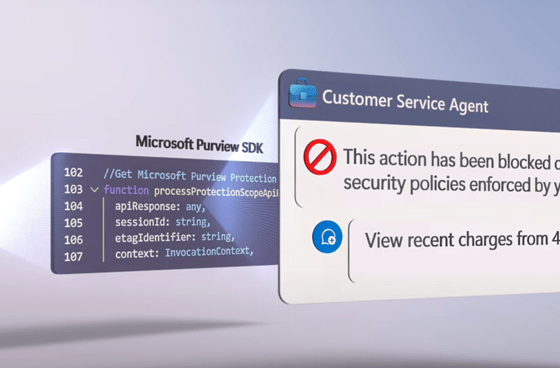
With Purview SDK integration, your AI agents become policy-aware, enforcing DLP and access controls inline. A must-read for anyone building secure, scalable AI solutions.

Data security in the era of AI – an update

The article discusses recent updates in Microsoft cloud services, including changes in the billing model for Microsoft Purview and Copilot, the introduction of Microsoft 365 Local for enhanced data sovereignty, and advancements in AI integration through Purview agents. Additionally, it highlights the implementation of collection policies and on-demand classification features.

Tackling Microsoft 365 Copilot data security and governance concerns

The rise of AI, especially Microsoft 365 Copilot, has shown its potential to enhance business processes through automation and data insights. However, concerns around data governance and security persist, particularly with the vast amounts of data Copilot uses. These concerns include over-sharing, data loss, privacy issues, and AI errors like hallucinations. The Dutch organization “Surf” has even recommended halting Copilot use in educational institutions due to privacy risks associated with diagnostic and telemetry data.

To mitigate these concerns, organizations must focus on ensuring data security and responsible use. Effective governance tools like Microsoft Purview, retention labels, and sensitivity labels help organizations manage content and ensure compliance. Oversharing risks, such as granting unnecessary access to sensitive data, can be minimized through proper permissions and Data Loss Prevention (DLP) policies.

Microsoft provides several tools to improve security, including advanced SharePoint management and DSPM for AI, which help track data sharing and access. Sensitivity labels and DLP rules can prevent sensitive data from being processed by Copilot. Ethical use is also a priority, with features to prevent prompt injections and ensure compliance with intellectual property laws. While AI in Microsoft 365 presents challenges, responsible governance practices can significantly reduce risks, enabling organizations to harness its benefits securely.

Custom DLP rule for sensitivity labels and scan before send

The article discusses the changes in Microsoft Purview Information Protection, highlighting the transition from Azure Information Protection configurations to the new Data Loss Prevention (DLP) rules for implementing specific pop-up notifications in Outlook. Previously, a .JSON file configured through PowerShell was required to set these notifications, but now they can be established using DLP policies in Exchange Online. In this article I want to show you how this is done and how you can setup Outlook to suspend sending before a DLP scan has been performed.