 Posted by
 Reading time: 4 minutes

lsdjflksdjflkjlfj
Well, Ignite 2024 has ended. And although I was not able to join in person, I did enjoy all the sessions virtually. It cannot come as a surprise that AI, Generative AI, and Microsoft Copilot were centerstage again.
During the Microsoft Ignite 2024 keynote, CEO Satya Nadella talked about how Microsoft Purview helps with AI and data governance. He said that managing data is super important when it comes to AI. Nadella mentioned that Purview tackles stuff like oversharing, risky AI use, spotting malicious actions, dealing with prompt injections, and preventing the misuse of protected materials.
The prompt injection part is very interesting, as we have seen bad actors using that technique. And I was not very surprised to see that Microsoft is addressing that problem using Defender for Cloud.
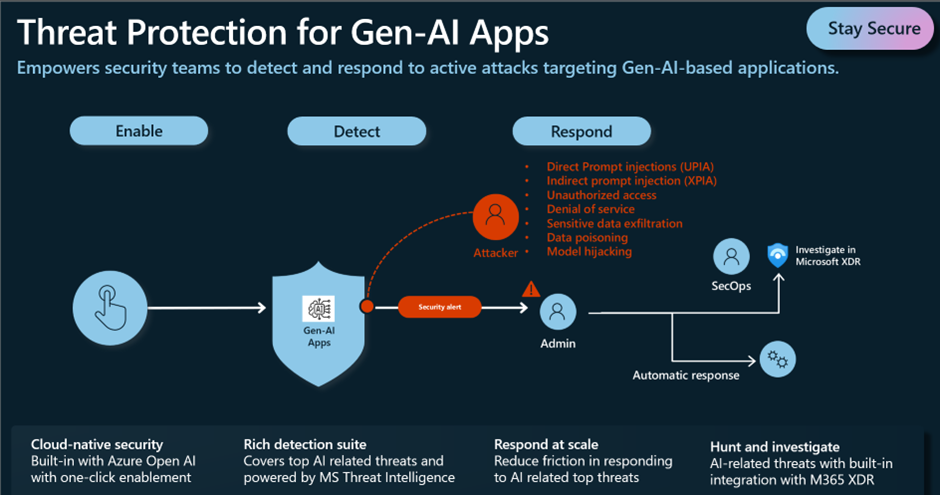
This article does not address this however, but if you are interested: https://learn.microsoft.com/en-us/azure/defender-for-cloud/ai-threat-protection
In all, I rather enjoyed Satya’s remark that “Microsoft Purview should be the platform of the conference” . Because Microsoft Purview is the platform and suite of solutions that will become more and more important.
By now we all should be aware of the risks associated with content oversharing, out-of-date content, and unprotected content in our tenant. Microsoft 365 Copilot is able to respect the sensitivity of the information, but only the access control is up to date and (preferably) if we are using sensitivity labels. And to avoid AI hallucinations, we need to provide the LLMs with accurate content.
But let’s be fair and frank; This should not come as a surprise. The way I see this, this has always been the case. Unfortunately, many Microsoft 365 tenants are starting to look like a house needing repairs. But these repairs must be done while the occupants are still using the house.

Microsoft has offered us some temporary measures to repair the house. Functions like restricted SharePoint search and allowing for specific settings in a sensitivity label whereby information will not surface in Microsoft 365 Copilot.
But these are more temporary measures and organizations need to speed up the process of implementing sound access controls, management of sharing links, sensitivity labels, retention/deletion policies, and data loss prevention. Hey presto: Microsoft Purview 😊
DSPM for AI
In this article, I want to focus on an announced (preview) function in Microsoft Purview. This function is part of the Data Security Posture Management for AI (previously known as the AI Hub). The AI Hub was a great addition to Microsoft Purview. It provided some insights into the use of Microsoft Copilot and other internet-based AI platforms and you could enable some policies to control this use. At the back end, platforms like Microsoft Defender for Cloud Apps, Insider Risk Management, and Endpoint DLP were used.
As is a common scenario during any Ignite, the AI Hub has now been renamed to Data Security Posture Management for AI and is now even more useful. The insights have been upgraded and a new component named Data assessments has been added.

Data assessments
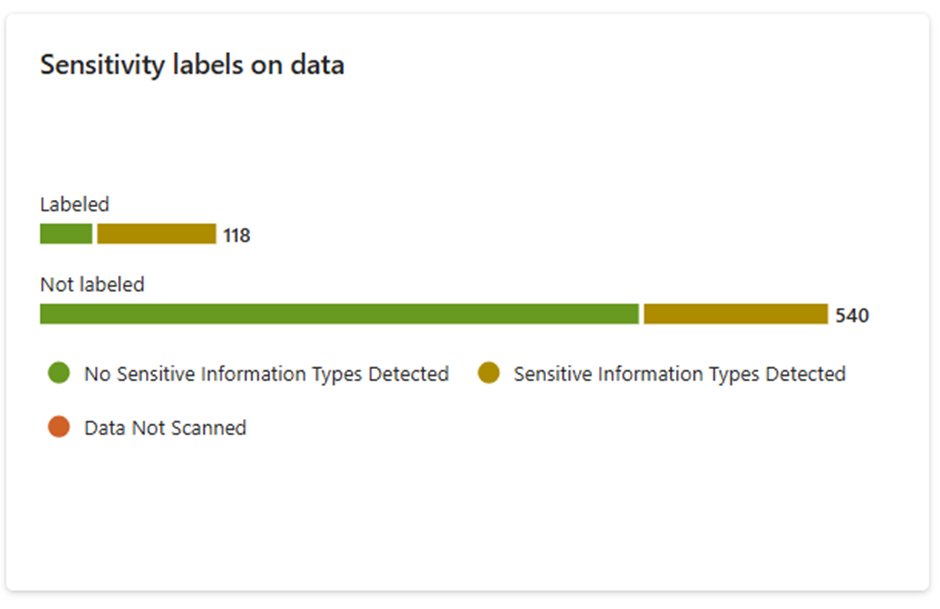
One of the components (although in preview) is the data assessment page. This page or portal provides you with tremendous insight into your SharePoint Online sites. Information includes the different types of links used in the site, the number of items accessed, and the number of users that accessed the information.

When you open up the site’s details, you will get an overview and the options to start implementing the protections for the site.
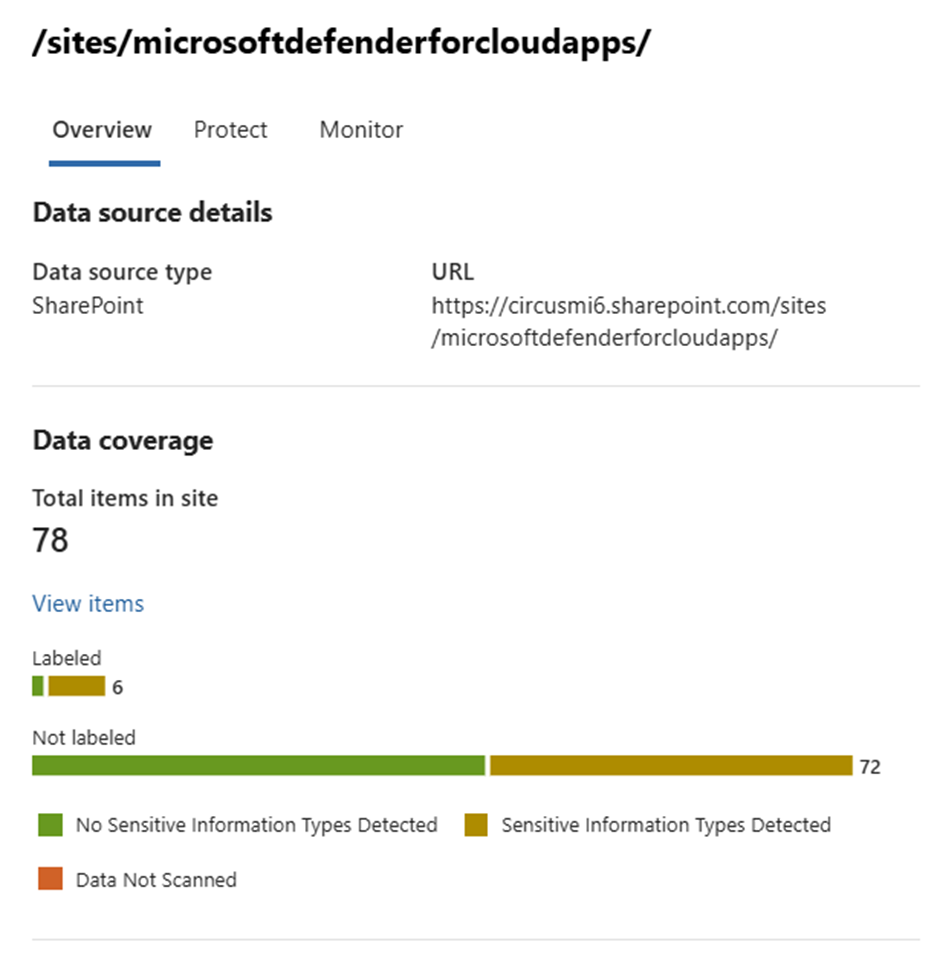
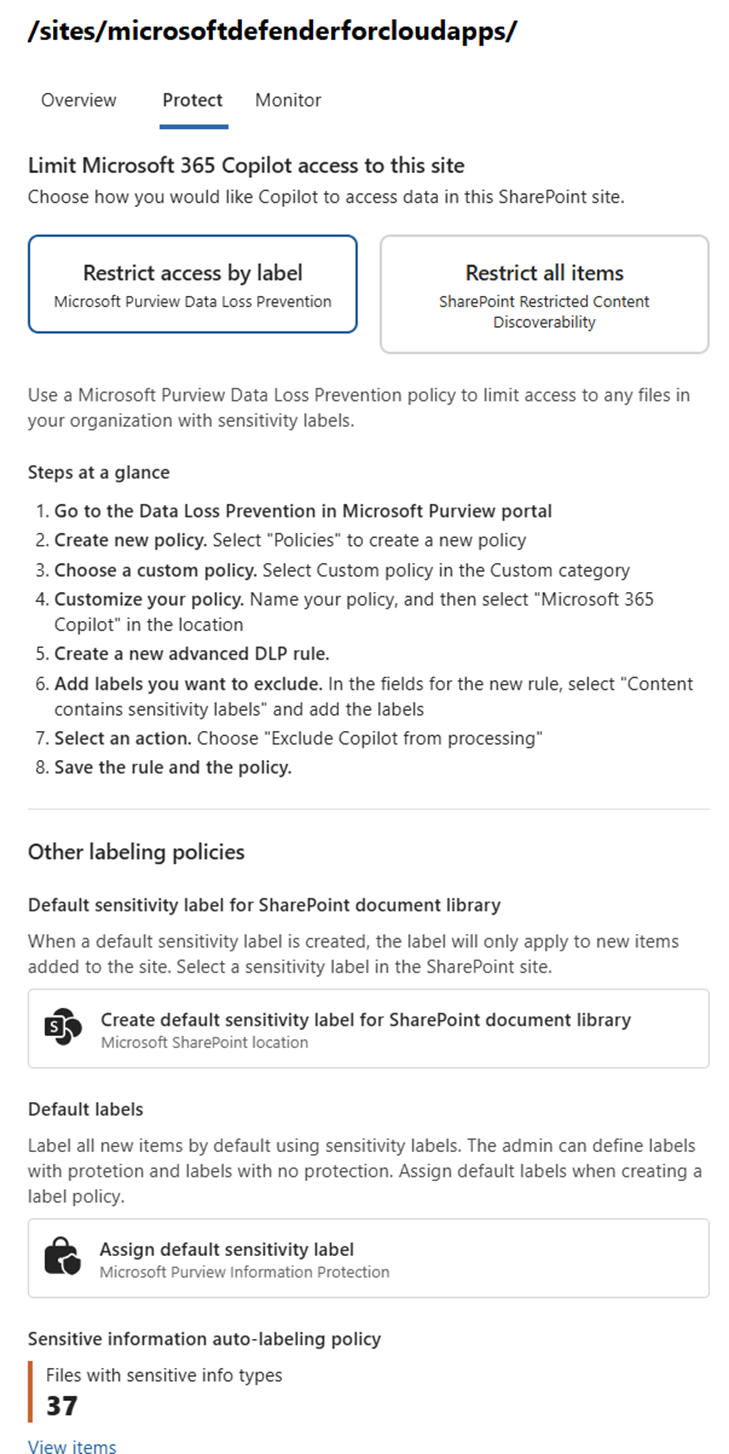
Although I like this approach, I have to be a bit critical. As you see below, the Protect option shows you the different ways to start protecting your information. But these are just links. For example, the first option (default sensitivity labels for the library) opens the library itself, not the library settings.

Most other options simply guide you to the Microsoft Purview portal, and you need to work from there. But to be fair – this is a good way to get to these features 🙂
All in all
Information governance and protection and data security are in the limelight and this is where it should have been some years ago. Many organizations have not been paying much attention to these subjects and have ended up with Terabytes or even Petabytes of data (ungoverned) in Microsoft 365. Microsoft 365 Copilot is now making this very obvious.
With the previous AI Hub and now Data Security Posture Management for AI (DSPMfAI??), organizations can now address these issues – retrospectively. This is not a small task, because of the large amount of data and information that has been stored already.
But these insights will help. But start out with addressing the sensitivity of your data and how it has been shared in the past. Enable sensitivity labels and use auto-classification (E5….) to apply sensitivity labels to information that has been stored in Microsoft 365. Remove information that is no longer relevant either by using retention/deletion functions or Microsoft 365 Archive. However you do this, start now.
 Information security and compliance