 Posted by
 Reading time: 4 minutes

Why can’t I change the sensitivity label for a document?
I sometimes get asked: who can change a label when this has been applied to the document and can we control this? This answer depends on the settings for these labels.
First, using the label policies we can control if the users need to supply a reason for removing a label. These actions are audited and audit records can be accessed using the Microsoft Purview admin center or Microsoft Sentinel (if the logs are connected).
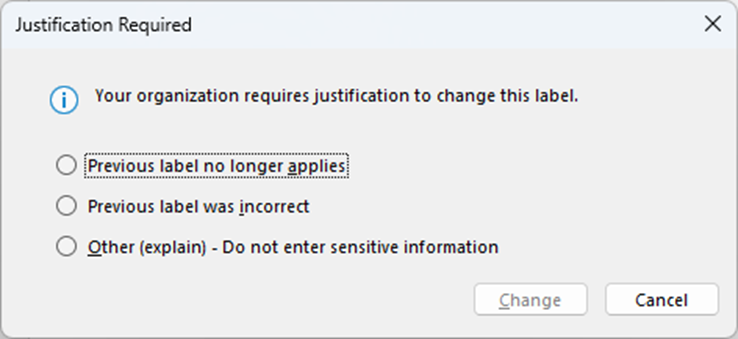
However, this setting does not affect the ability to change a label. So, what does? Put simply, the access controls for the label (in other words: encryption).
Labels that do not have any access control configured, can be changed by any user which is part of the labeling policy. Again, you can ask for a justification. But when access controls (encryption, RMS permissions) have been configured, this is not so simple.
Permission levels
Let’s start with these permission levels. Basically, Microsoft Purvirw Information Protection has four built-in permission roles and a fifth called Custom. The standard roles are:
- Co-owner
- Co-author
- Reviewer
- Viewer
These roles have specific permissions and the Custom role can be configured to use a specific subset of these permissions. For documents, these permissions are:
- View content
- View rights
- Edit content
- Save
- Copy and extract content
- Edit rights
- Export content
- Allow macros
- Full control
Specific permissions targetted at emails are:
- Reply
- Reply all
- Forward
For example, the permissions for the Co-Author role. Note the EXPORT and EDITRIGHTSDATA permissions.
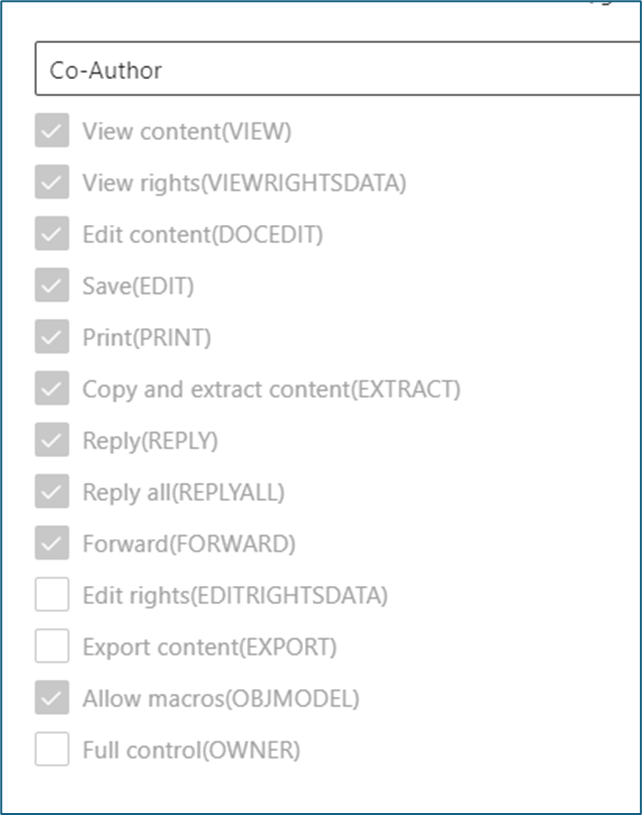
Most of these permissions are self-explanatory. But the copy/extract permission (EXTRACT in Azure RMS) is special. As I described in an earlier post, this permission is required for Microsoft 365 Copilot to be able to create new documents based on labeled and encrypted documents. Another important permission is EXPORT.
Who can change the label?
For this, we need to go back to the workings of sensitivity labels. It can be frustrating when working with documents to see this error message displayed (Office Online and Microsoft 365 Word app):

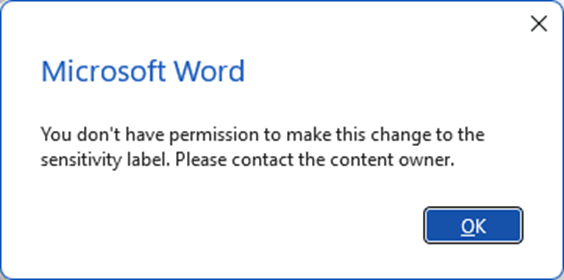
This message is displayed when you try to add any (yes, ANY!) other label to the document. And this is because you do not have the permission to change the label. And this is because of the EXPORT permission level.
Any user without this permission level will not be able to change the label on the document. Only the (co-)owner(s) of the document can change the label. So if your use-case includes the option to change the label to documents when this label is configured to use permissions, be sure to include this EXPORT permission.
Btw: do not ask me the reason behind this, please 😊
What about the “Edit rights” permission?
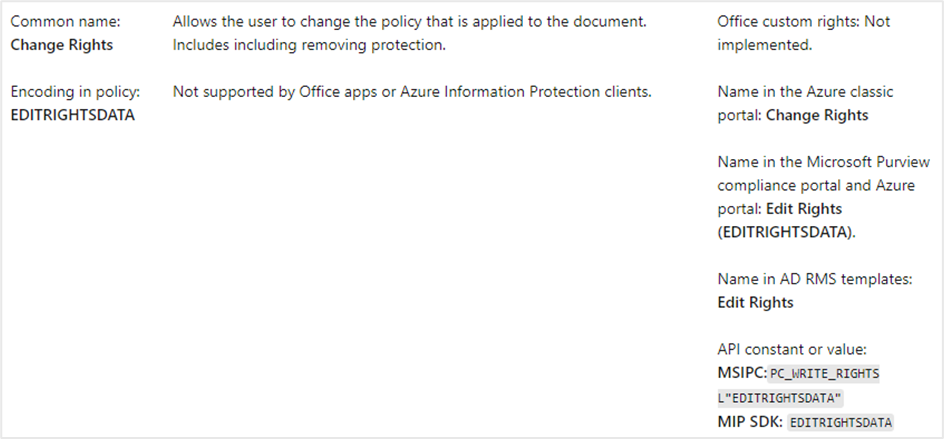
You will notice that this is also a permission level you can choose. But alas, this level is not used by apps or the Information Protection client. So disregard this level.
I hope this explains the reasons why your users might not be able to change the label. So be careful !
As best practice, you can set the permission level for (the group/domain of) users that need to be able to change the label to Owners. Or add a custom permission level. But note: even Co-author does not allow you to change the label!
Want to know more?
If you want to know more, please go to this Microsoft Learn page: https://learn.microsoft.com/en-us/azure/information-protection/configure-usage-rights#usage-rights-and-descriptions
 Information security and compliance