 Posted by
 Reading time: 4 minutes
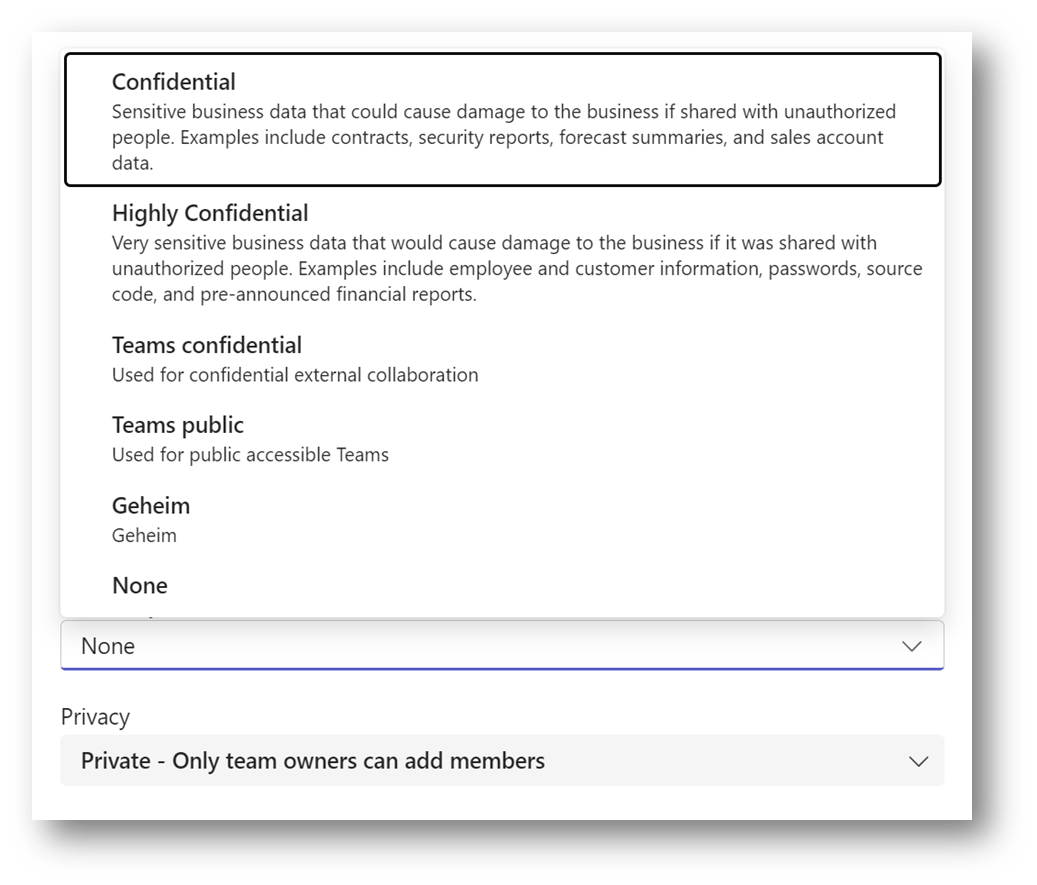
Sometimes it’s not clear if the workings of Microsoft Purview are “as designed” or simply a bug. Resetting a container based label back to “None”
In Microsoft Purview Information Protection you can set labels on the container level. These labels act differently than those on items (documents and emails). First off: these labels don’t influence the labels on the item level: they are not designed to be used as a “default” label for your documents.
What they will do is set the access level for the container. These settings include the Privacy | External user access | Sharing links | Access from unmanaged devices options. And in this blog, I want to focus on the external user access.
Please note that I do not know if this is a bug or working as designed and I’m simply being impatient. Read this blog with this in mind. Also, many thanks to Rik who made me aware of this situation.
Guest access | External user access
The ability to allow guest access to Microsoft 365 Groups, Teams, and SharePoint Online is set on a tenant level in Entra ID | User Settings | External collaboration settings. You can also set the ability to add guest users on the Microsoft 365 Groups level. This can also be done in Entra ID.
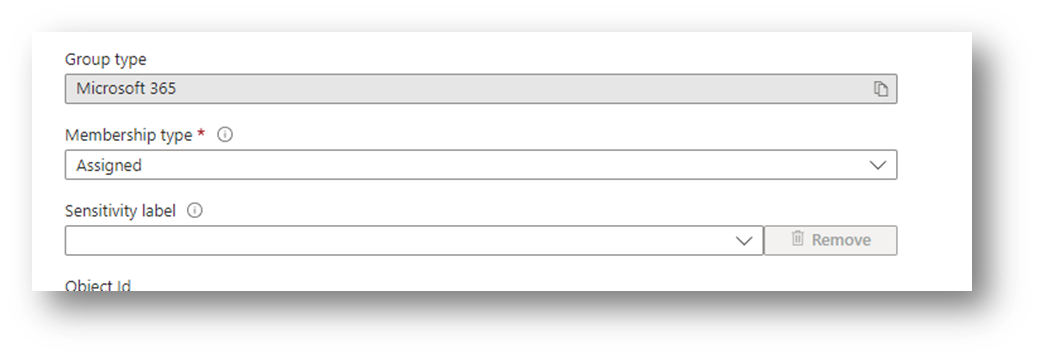
But the most recommended approach is to the setting in sensitivity labels for containers. This is the little checkbox at the bottom of the screen.
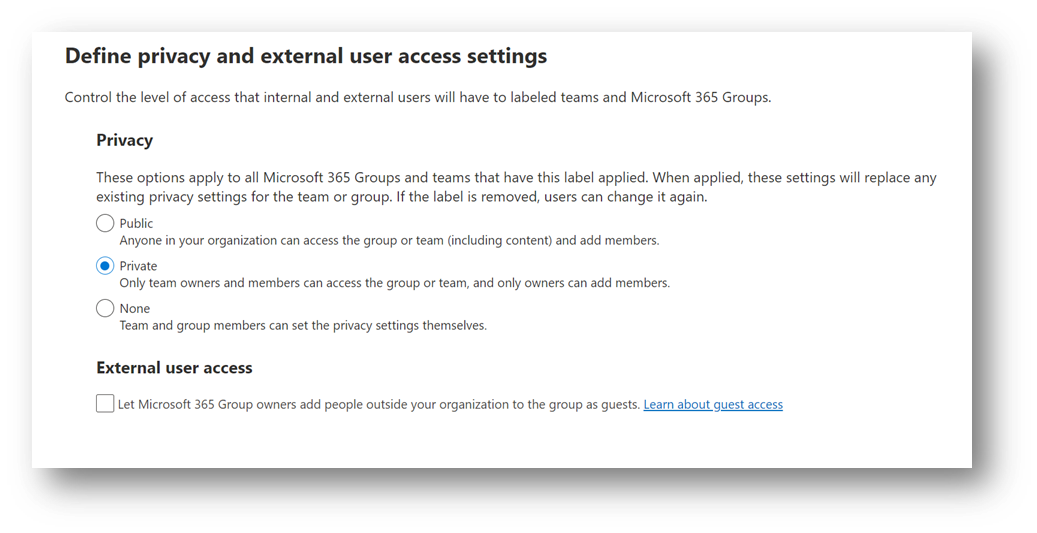
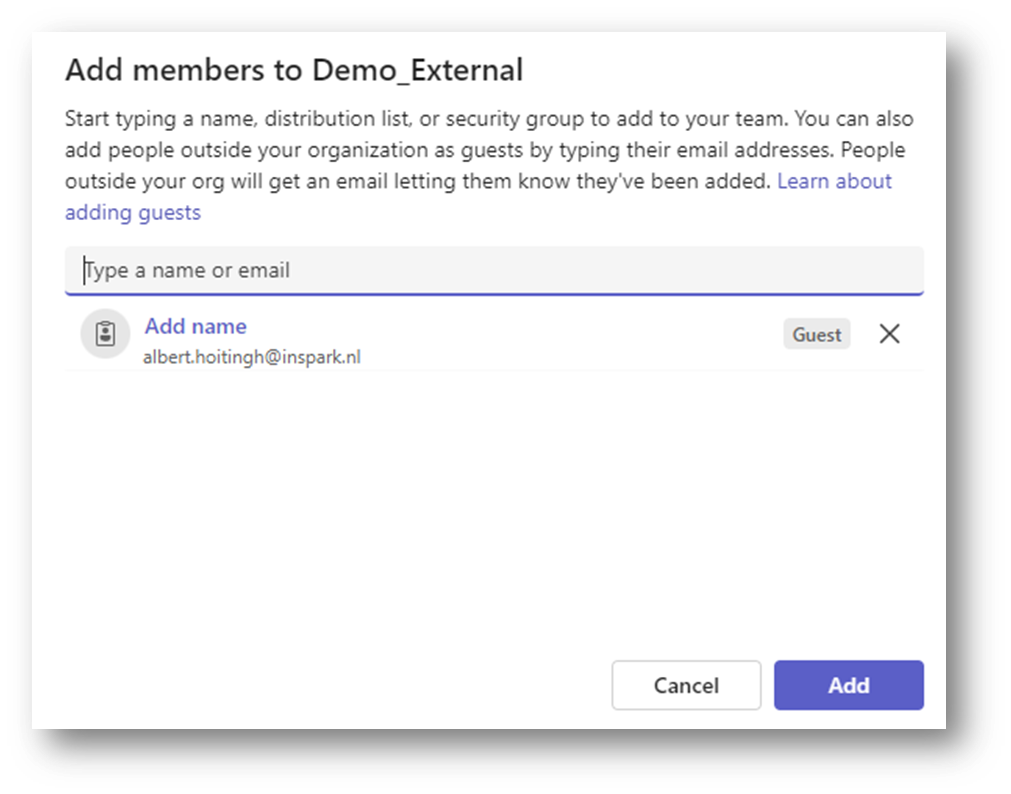
If you have a label that does not allow External user access, people will not be able to add guest users and will see an error message instead. Note that this message does not indicate that there is a problem with the settings. You’ll be notified that a specific match cannot be found.
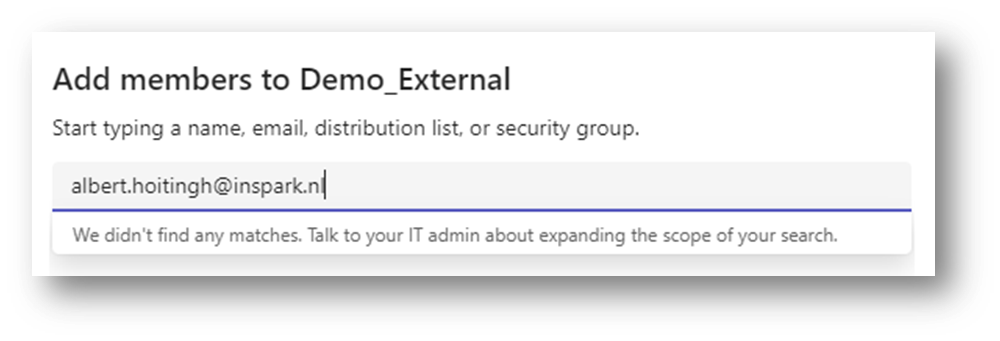
To be fair, Microsoft does say this in the documentation.

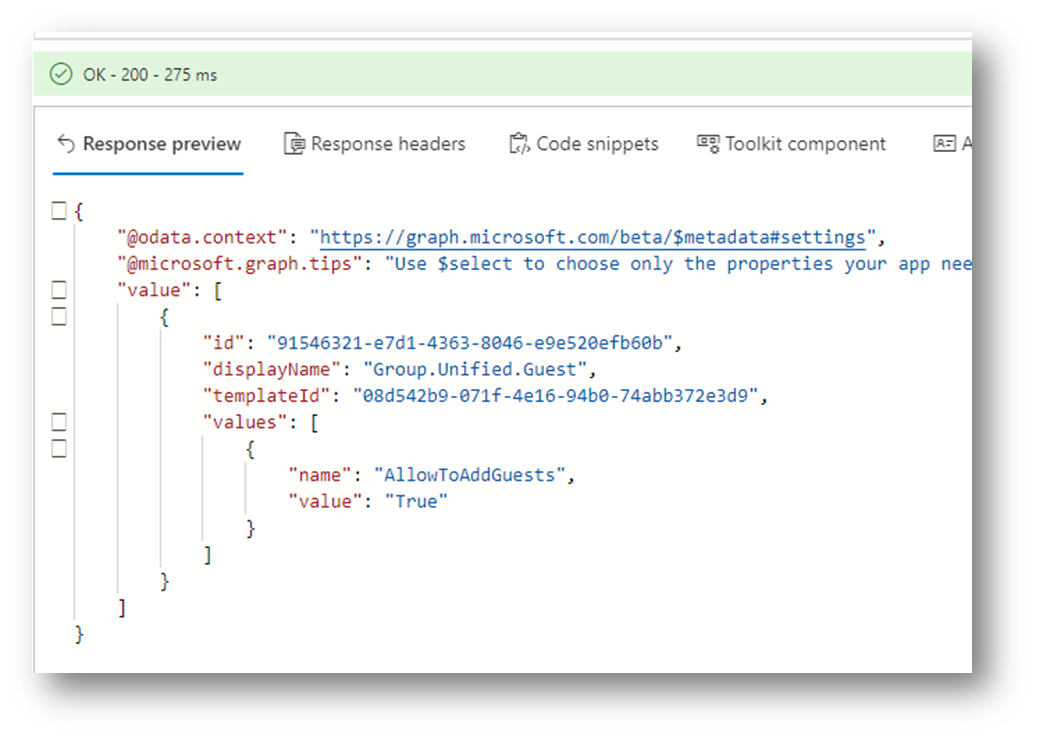
AllowToAddGuests
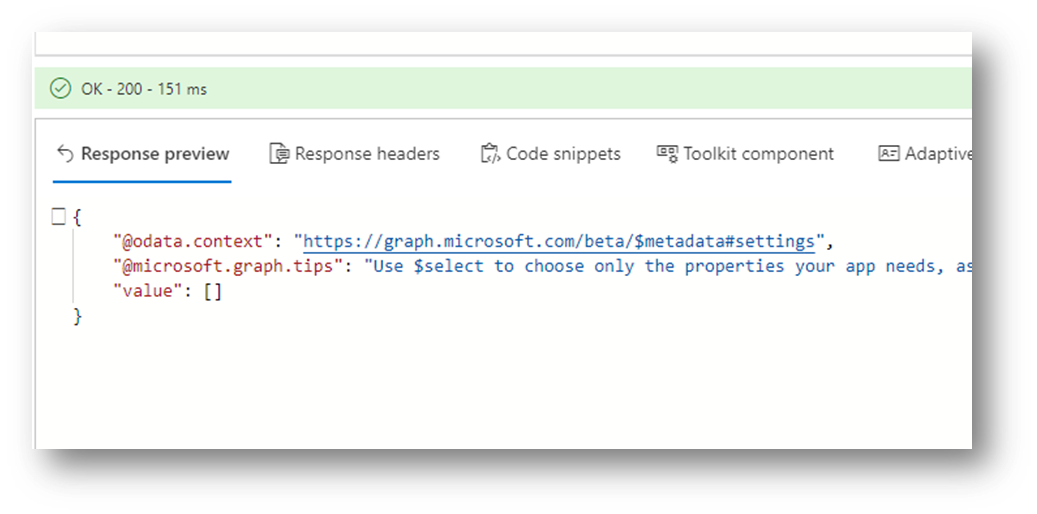
You can check if the settings for external users (guests) have been set by using the Microsoft Graph. You only need the ID for the Microsoft 365 Group. Using the Graph Explorer, you can use the (Beta) GET function below.
https://graph.microsoft.com/beta/Groups/<Group ID>/settings
When a Microsoft 365 Group or Microsoft Team does not have a sensitivity label attached or the settings for guest access have not been changed since the group was created, this function will return a blank.
If the option has been set (either to allow or disallow), this function will show the variable AllowToAddGuests.
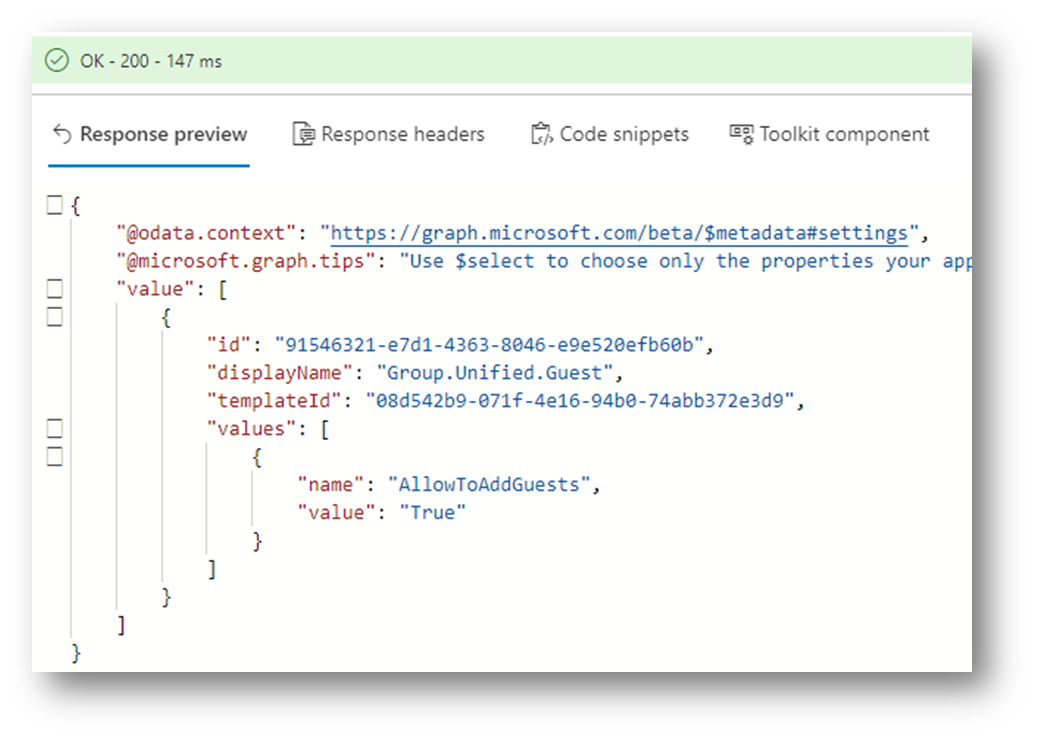
And this is the setting that is part of the “bug” or “design”.
What the bug?
The problem that Rik made me aware of has to do with this setting. The scenario is easy:
- A Microsoft Team is labeled with a sensitivity label used to block external user access;
- The sensitivity label is removed from the Microsoft Team (set to None);
- External users are still blocked.
After some testing and digging I found out that the only way to remove the restriction is to set a different sensitivity label. A label that does allow for the external users to be added. Removing the label does not impact the settings.
Setting a different label changes these settings in near-real time. For example:
Restrictive label
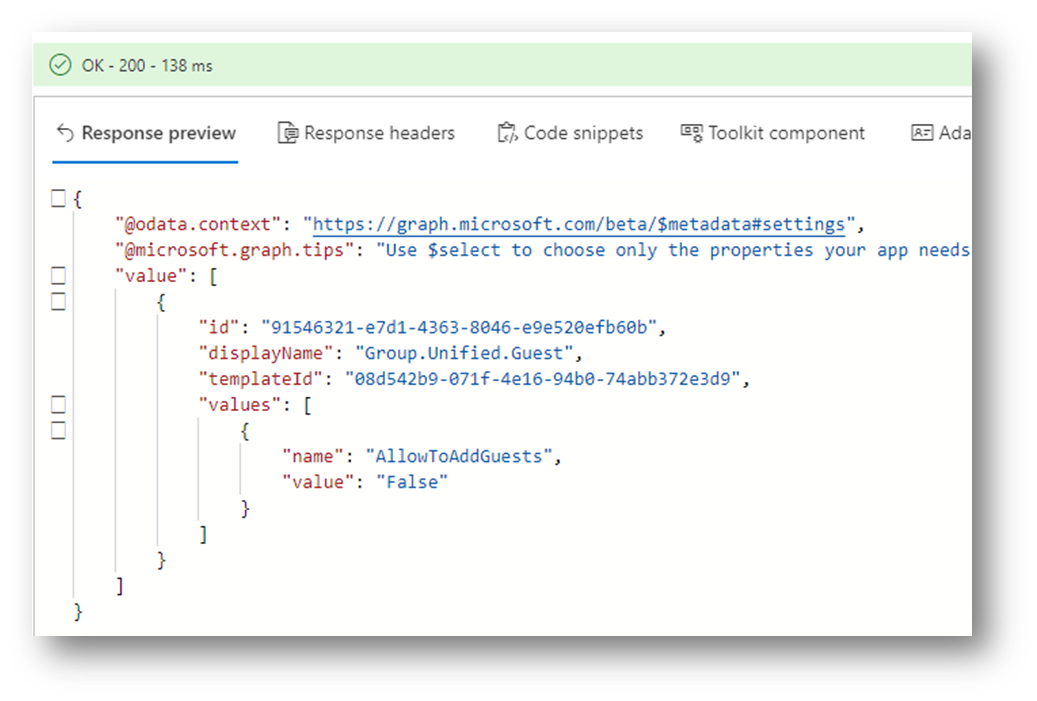
Non-restrictive label
Conclusion – so far
After waiting for quite some time without the setting changing, I’m more or less convinced that this is not a hiccup or some other bug. Removing the sensitivity label from Microsoft Teams does not affect this option!
The same goes for the other settings in the label. For example, the visibility will not change from Private to Public when you remove the label. You can check this setting using this Graph function: https://graph.microsoft.com/v1.0/groups/<Group ID>.
So what to do? Well, basically, when you need to be able to add external users to the team (or change this visibility): create a sensitivity label for this and downgrade the more restrictive label. Removing the label does not work.
Again: not sure if this is a bug or a feature. Should it turn out to be a bug and Microsoft solves this – then I will update this blog.
 Information security and compliance